
01 · Hero
Launch Industries Design System · v2

Better together

A working brand system for Launch Industries — the tokens, type, color, and components that make every surface look like us. Confident, modern, a little playful, never corporate-blue

2022
Founded
5
Brand colors
17
Type cuts
2
Companion brands
Yellow corner-bracket and dot — top-left quadrant
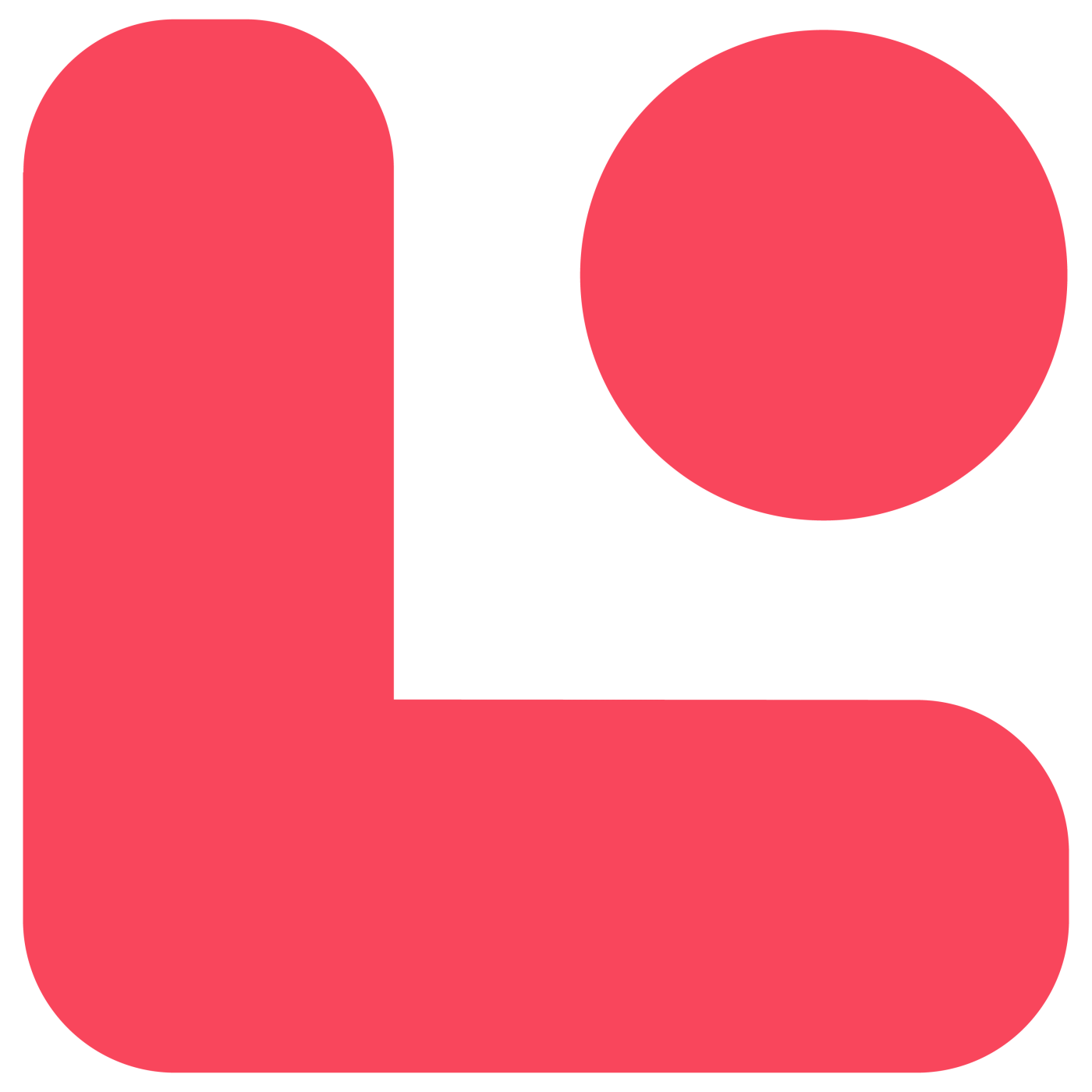
Red corner-bracket and dot — top-right quadrant
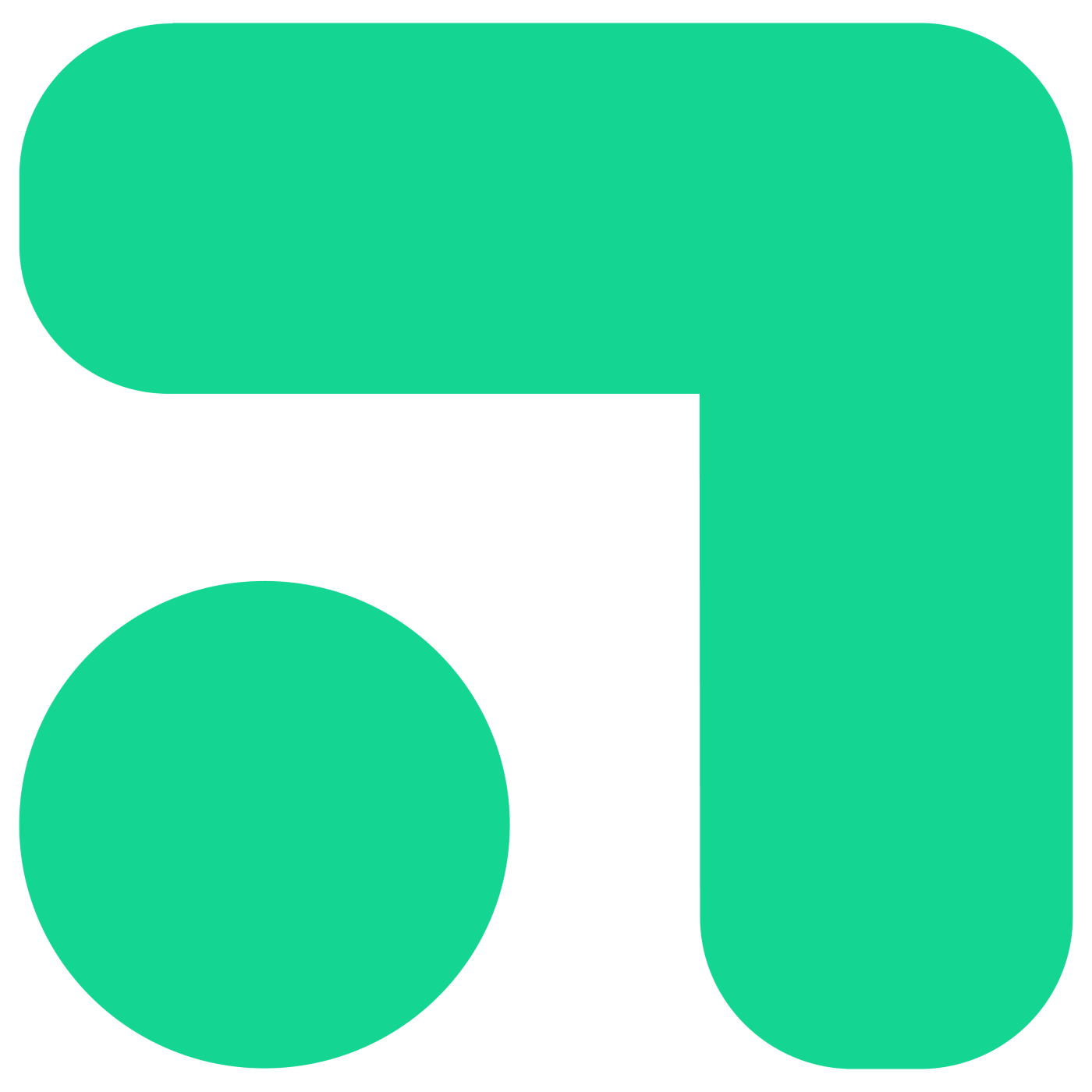
Green corner-bracket and dot — bottom-left quadrant
Teal corner-bracket and dot — bottom-right quadrant
02 · Story
02 · The story 02

A Seattle social enterprise, built for small-business operators

Launch Industries was founded in 2022 to take the back-office work off small-business and nonprofit owners — so they can spend their time on the floor, with their people, running the thing they actually came to run.

02.1

We're a social enterprise. We measure success by whether people enjoy their jobs and their companies, and by whether conditions let them make the difference they're out to make — not by quarterly margin. People, the Planet, and (then) Profit — never profit at the expense of the other two. We work two ways:

Direct Client Services — back-office work delivered to operators who come to us directly. Bookkeeping, payroll, HR, startup support, tech automation, marketing, and more. One operator usually needs two or three at once. That's by design — most small businesses can't afford a CFO, a head of HR, and a marketing lead, but they can afford one partner who handles all of it.

Technical Assistance Programs — free consulting delivered under public-sector partnerships. The funding comes from cities, counties, and other agencies who want their local operators to thrive; we deliver the actual work. Same playbook as our paid engagements, no cost to the operator who qualifies.

We're DBE, WBE, and Micro-certified. The certifications matter to the public-sector clients we serve, and they signal who we are: a small, woman-owned business helping other small businesses do the work.

Better together

The tagline isn't decoration. It's how the work runs — your team and ours, side by side, building the kind of company you'd want to work at, in service of the change you came here to make.

02.2

What we do

The primary Launch service areas, pulled from the current service taxonomy used across the main site.

01Startup support
02Bookkeeping
03Finance
04Payroll & benefits
05Human resources
06Operations consulting
07Organization development
08Technology & automation
09Marketing
10Websites
11Washington registered agent

Where we are 02.3

4136 California Ave SW #2
Seattle, WA 98116
(206) 202-7356 · hello@launchindustries.biz

DBE WBE Micro-certified
03 · Brand DNA
03 · Brand DNA 03

Four shapes, four colors, one square

The icon is a 2×2 quadrant of corner-bracket-and-dot shapes — yellow, red, green, teal — locked to position. It reads as parts that combine into a system. The wordmark stacks "Launch / Industries" in a heavy industrial sans, with one load-bearing detail: the red tittle on the lowercase i.

It is a pinwheel, and it is built from rotations. One quadrant shape is placed four times — yellow at 0°, red at −90°, green at +90°, teal at 180° — each rotated about its own centre. Because the bracket is diagonally symmetric, building it by mirroring looks plausible and lands red and green in each other's orientation. Rebuild it from brand-shapes or from the SVG in the skill, never from a description.

03.1

The wordmark

Launch Industries wordmark

Heavy black sans, stacked. Keep the red dot on the i — it's load-bearing.

03.2

The icon — four shapes

Each shape is fixed to its color and position. Don't redistribute or rearrange.

03.3

The signature

Buıld
Tittle, or terminal period

The red dot has only two homes: dotting a lowercase i, or ending one declarative line.

04 · Color
04 · Color 04

Five hues, one rule

Yellow, red, green, and teal are sampled from the icon mark. Never use all four together outside the logo — pick one or two per surface, plus ink and paper. Collaboration blue is the 5th hue, outside the icon palette: a bold accent we reach for when something needs extra oomph.

04.1
#FFD100
Spark yellow
Default accent. Energy.
100 / 500 / 700
v2: 700 has no legitimate use. It only existed because yellow fails as text, and v2 does not use brand colours as text. Every yellow mark is a fill at full 500 — small marks need more chroma, not less.
04.2
#F9465C
Signal red
The red dot. One critical thing per surface.
100 / 500 / 700
04.3
#14D592
Growth green
Go, success, money-up.
100 / 500 / 700
04.4
#51D9DD
Clarity teal
Information, calm states, secondary highlights.
100 / 500 / 700
Secondary accent · Oomph!

Collaboration blue

Outside the four-quadrant icon palette. A 5th color we reach for when something needs extra punch — a hero accent on a non-yellow surface, a stand-out CTA, an emphasis pill. Use it sparingly; never in the icon mark.

100 / 500 / 700
04.5 #2D4DFF

Surfaces — three canvases 04.6

Pure white for product UI. Warm paper for marketing and editorial. Ink for the one full-bleed dark moment per page.

04.6a
--bg-1
Product UI
Pure white. Ink-1000 text. The default canvas inside apps.
04.6b
--paper
Marketing
Warm off-white #FBF9F4. Editorial, brand pages, decks.
04.6c
--bg-ink
Hero / footer
One full-bleed per page, max. Punch, not texture.

Semantic intent — map roles, not hex 04.7

In product code, reach for var(--intent-success), not #14d592. The semantic name survives a theme change; the hex doesn't. Use these as fills: a brand colour set as text fails contrast, so keep the label in ink beside the mark.

v2 moved warning off yellow. Yellow is now reserved entirely for the four signature moves, so warning is soft red and destructive is solid red — told apart by weight, not hue. The budget applies only to strong red: the signature dot plus one blocker per page. Soft-red warning chips are a status treatment and are unbudgeted, so a table can carry six. On dark, --li-red-100 is near-white and fails — use a low-alpha red fill with light red text instead.

Primary actionDefault CTAs · confident black
--intent-primary
AccentThe spark · single-moment highlight
--intent-accent
SuccessGrowth, completion, money-up
--intent-success
Danger / destructiveSolid red · the signature dot, plus one blocker per page
--intent-danger
WarningSoft red fill, --li-red-700 text · told apart from destructive by weight, not hue
--li-red-100
InfoCalm, secondary highlights
--intent-info

Neutrals — warm-cool ink 04.8

Pure white is for product UI; warm --paper is the marketing surface.

1000
900
800
700
600
500
400
300
200
150
100
50
0

Color Don'ts — Prohibited Combinations 04.9

Our palette is high-energy, which makes certain combinations difficult to read or physically uncomfortable (vibrating). Avoid these pairings.

VIBRATING TEXT
No: Red + Green

These colors have similar luminosity. Putting them on top of each other creates a "vibrating" effect that is hard on the eyes.

LOW CONTRAST
No: Teal on Yellow

Teal and Yellow are both light. This combination fails basic accessibility standards and is almost impossible to read from a distance.

No: The "Fruit Salad"

Never use all four brand colors together on a single component or section. It competes with the logo. Stick to one or two colors max.

HARD TO READ
No: Dark Text on Dark Background

Grey on black, dark teal on navy, charcoal on dark green — any dark-on-dark pairing fails accessibility contrast requirements and is nearly illegible. Always pair dark backgrounds with light (white or ink-50) text.

05 · Typography
05 · Typography 05

Two workhorses, one hand, one rule

v2 runs two workhorses on one rule: PP Formula wherever we can self-host the files — product, marketing, this site — and Archivo wherever a face has to load from Google Fonts. Archivo earns that slot because its width axis gives a condensed cut, which is the one thing v1's stand-in could not do. Alongside them sits the brand's expressive register, unchanged: Market Pro for the canonical "together" lockup, Permanent Marker for other casual words and across our sister brands. One human word per surface, and never two hands at once.

05.1

Primary face · 16 cuts

PP Formula

Build, ship, run a small business

Geometric, slightly industrial, with great heavy weights. Use Extrabold for headlines, Regular for body, and Narrow Semibold for eyebrows.

05.2

Display · extreme condensed

PP Formula Compressed

Better together

Reserved for big display moments — hero headlines, posters, slide titles. Black weight only.

05.3

Primary face where we cannot self-host · Google Fonts

Archivo

Build, ship, run a small business

Archivo is v2's choice wherever a face has to come from Google Fonts, and it supersedes Instrument Sans in that role. One family covers display and text, and its width axis gives a condensed cut — the closest free equivalent to PP Formula Condensed, which Instrument Sans has no answer for.

PP Formula remains canonical on every surface we control and self-host, including this one. Reach for Archivo only when you cannot ship the font files.

Width axis — 84 masthead · 92 section heading · 100 body
Figures & identifiers pair with JetBrains Mono
family=Archivo:wdth,wght@62..125,400..800
05.4

Brand-signature script · the "together" word

Market Pro

together

Use Market Pro only for the canonical "together" lockup — the brand's most expressive, trademark moment. Its character pairs are tuned for that single word; don't reach for it on others.

Archivo does not replace this. v2's pairing is Archivo + Market Pro: Archivo replaces a workhorse, not the brand's expressive register. Keep the script slot in every stack you write — --font-script: "Market Pro", "Caveat Brush", "Permanent Marker", cursive

One human word per surface, hero and CTA only, red, all caps. Market Pro is licensed and self-hosted, so it will not load in a Claude artifact — expected, not a bug.

05.5

Alternate hand · everything else casual

Permanent Marker

Launch · joy · build

Use Permanent Marker for any other casual, hand-drawn word — especially words that contain character pairs Market Pro can't render cleanly (notably u/n, u/m, c/n like in "Launch"). Treat as a connector word, one per surface, same usage discipline as the script. This face also extends across our sister brands (LMC, Launch Learning) — Permanent Marker is the shared hand of the Launch family.

05.6

Superseded by Archivo · kept for surfaces already using it

Instrument Sans

Build, ship, run a small business

v2 replaced this with Archivo. Do not reach for it on new work. It was v1's answer for places PP Formula can't go — Google Docs, Sheets, Slides, embedded forms, contracts — and it did that job well, but it has no condensed cut, so it cannot stand in for PP Formula Condensed. Archivo's width axis can, which is why v2 changed. Left documented because surfaces already built on it are not wrong, and a face that vanishes from the spec is a face nobody can identify later.

Hierarchy 05.7

Three weights of PP Formula carry most of the page: Extrabold for headlines, Regular for body, Narrow Semibold for eyebrows. Don't reach for a fifth weight.

On the Archivo track the same tiers come from one variable family instead of separate cuts — set the width axis rather than swapping files: wdth 84 for a masthead, 92 for section headings, 100 for body. Pair figures and identifiers with JetBrains Mono in both tracks.

DisplayPP Formula Extrabold112 / 1.04 / -0.02em

Launch the next thing

H1PP Formula Extrabold64 / 1.04

A studio for builders

H3PP Formula Extrabold28 / 1.18

What we make

EyebrowPP Formula Narrow Semibold13 / +0.12em / UPPERCASE

Featured · Spring 2026

LedePP Formula Light20 / 1.65

A studio for people who'd rather build than wait. We take the back-office work off small-business operators.

BodyPP Formula Regular16 / 1.5

Launch Industries is a Seattle-based small-business consulting social enterprise, founded 2022. We take the back-office work off small-business and nonprofit operators so they can run their businesses.

QuoteMarket Pro Regular24-40 / 1.18

Better together

06 · Components
06 · Components 06

Buttons, badges, cards, inputs

A small kit of confident, geometric components built from the tokens. Black for primary actions; yellow for the one moment per page that deserves a punch. These are the parts — what makes an assembly of them look like us is the four signature moves, and their budgets are what keep them working.

Buttons

06.1

Primary is confident black. Accent is yellow with the once-per-page red glow shadow. Outline and ghost cover secondary and tertiary.

Badges

06.2
Active Featured Info Action needed

Badges stay mostly black-and-paper with one small brand-color status mark. The system reads like Launch before it reads like generic software UI.

Service card

06.3
— 03

Bookkeeping

Clean books, on time, every month. We pick up the close so you can stay on the floor.

1.5px black hairline, --r-16 radius, brand-color icon tile, mono catalog number. Hover lifts translateY(-3px).

Input

06.4
We reply within one business day.
That EIN is too short.

.li-input / .li-select / .li-textarea from fields.css. 36px tall, 1px --ink-200 hairline, 8px radius, 14px text, --ink-400 placeholder. Label is sentence case 12px --ink-600; the uppercase eyebrow is for section headers only. Focus is a 1px ink border plus a 2px yellow ring with no offset. Error is a red border, disabled is 50% opacity. Never remove focus.

Blob-rise buttons

06.5

A circular element anchored at bottom-center scales up to fill the button on hover; text color transitions simultaneously. Requires two children: .li-btn__label (z-index 2) and .li-btn__bubble (z-index 1). Five surface variants: ink, yellow, outline, red.

Field card

06.6

For the identity of a thing: who it is, how to reach them. White card, 1px --ink-150 hairline, 12px radius, 34px --ink-100 icon tile, 11px semibold label over a 15px medium value. The control inside is borderless; the card carries the focus ring, and the icon tile turns yellow while focused.

Dense row

06.7
UBI 604 123 456 from SOS · Oct 4

For the facts about a thing: status, dates, money, addresses. 30px row, 1px --ink-200 hairline, 5px radius, 10px uppercase label in a 92px --ink-50 left cell, 13px value. A value pulled from a state feed is .li-dense-fact: same geometry, no box, with its source and timestamp.

07 · The signature system
07 · The signature system 07

Four moves, one job each

v1 had colours, fonts and a type scale but no signature idiom — nothing that made a screen recognisably ours at a glance. Theming a component library buys consistency, not a voice. A signature is one move used sixty times

So v2 adds exactly four, and the discipline matters more than the CSS: scarcity is what makes them read. Each move gets one job and is not allowed to do anything else. Applied loosely they compete and the screen reads as noise.

A

Hard offset shadow

The one thing on this screen you are meant to press.

Budget: one per screen. The CRM has 611 buttons; only the single primary action gets this. That scarcity is what keeps it usable.

The :active depress is mandatory. A raised button that does not move feels broken.

B

Yellow underscore

Where you are now.

Active tab Another Third

Current state only — active tab, sorted column, current row. Never decoration.

Current state wears the underscore everywhere. Do not invent a second treatment for "you are here". The one exception is a vertical nav rail, where LIDS canon is the Spark Yellow pill — the table of contents on this page uses it.

C

Yellow left rail

Marks a block as one grouped thing.

One engagement
Three deliverables

Containers only, never controls. Unbudgeted — it groups rather than points, so a page may carry several.

Its one failure mode: border-left is part of the border shorthand, so a later border: 1px solid … on the same element wipes the rail with no error. Restate border-left after the shorthand, or give the rail its own element.

D

Highlighter swipe

The single number the screen exists to tell you.

Paid back in nine days

Budget: exactly one per screen. If you can count two, one of them is wrong.

Needs isolation: isolate or its z-index:-1 pseudo-element paints behind the panel and vanishes. Keep the horizontal inset at zero: the skew already leans past the box, so a negative inset clips the next letter.

The counting rule

If you can count two offset shadows or two highlighters on one screen, one of them is wrong. Before calling any surface done, count the moves in the DOM rather than trusting your eye: one shadow, one highlighter, rails on containers only.

Spec and demo pages are the one exemption — a page whose job is to document a move has to show it, in both themes. That is a demonstration, not an ornament. This section is exempt; a product screen is not.

Three things v2 forbids

Brand colours as text. #FFD100 fails contrast as text, which is why a darkened variant ever existed. Brand colours are fills — pill, rail, underscore, swipe, marker dot — and the label stays ink. The working pattern is a small coloured dot beside ink text.

Darkened yellow. --li-yellow-700 existed only because yellow fails as text, and v2 banned brand colours as text — so its reason to exist is gone. At 8px it reads olive, not yellow. Every yellow mark is a fill at every size, and fills use full Spark Yellow. A small mark needs more chroma than a large one, not less: if it reads weakly, make it bigger or use ink.

A typed period as the signature. The brand mark is the round red tittle from the i in Industries. Most grotesques have a square full stop, so the dot is drawn, not typed

Every failure this system has produced has been silent. Nothing errored: the rail was wiped by a shorthand, the swipe painted behind its panel, the shadow rendered without its border, white text sat on a white pill. So before calling a rebuild done, render it and look, in both themes — a computed-style assertion will pass a page it cannot see.

08 · Dark mode
08 · Dark mode 08

When the room goes dark

Same components, dark canvas. Used extensively across community.launchindustries.biz and any product surface that runs on a dark page. v2 ships dark from the same ink ramp, introducing no new colours.

The v2 dark palette
background #0a0c10 · ink-1000
surface #14171d · ink-900
surface-2 #1c2029
text #f2f3f5
text-2 #b8bdc5 · ink-300
text-3 #8f96a1 · ink-400
rule #262b34
rule-strong #39404b

Note the rules: v2 uses #262b34 and #39404b, not --ink-700, which reads too light against this ground.

Opting in, and the four moves on dark

Dark is opt-in per surface: put data-theme="dark" on the root, or .li-dark on a container. It is deliberately not behind prefers-color-scheme, because this stylesheet is loaded at runtime by fourteen other repos and a media query would repaint all of them, executed contract documents included, for any reader whose OS is in dark mode.

  • Offset shadow flips to light ink. A near-black shadow on a near-black ground is invisible.
  • Underscore and rail work unchanged — Spark Yellow holds on dark.
  • Highlighter swipe keeps its inversion: yellow fill, near-black ink on top, while surrounding text is light. That is how a highlighter behaves on paper, so it reads as intentional. Do not "fix" it.

Status colours hold on dark with one exception: the soft-red warning chip. --li-red-100 is near-white there and fails, so use a low-alpha red fill with light red text instead.

Logo on dark

08.1
Launch Industries logo: color shapes with white lettering

On dark backgrounds, always use the color shapes with white lettering variant. It preserves the mark's vibrant quadrant colors while ensuring the wordmark remains perfectly legible against dark ink surfaces.

Surface scale

08.2
Page--bg-1 · #0a0c10
Raised--bg-2 · #14171d
Overlay--bg-3 · #1c2029
Rule--border-1 · #262b34
Rule strong--border-strong · #39404b

Five-step ladder in v2: page → raised card → modal/overlay → hairline rule → strong rule. Use the semantic names, not raw ink steps. Under data-theme="dark" these tokens already resolve to the values above, so a component written against --bg-2 and --border-1 flips correctly with no dark-specific CSS of its own. v2 tuned the two rule steps off the ink ramp deliberately: --ink-700 reads too light as a hairline on this ground.

Buttons on dark

08.3

Primary inverts to white-on-ink. Yellow accent still carries the once-per-page punch. Outline goes to a white hairline; ghost loses the border but keeps white text.

Card on dark

08.4
— 03

HR & people ops

Hiring, onboarding, handbook, performance — the people work that keeps a team running.

Surface flips to --bg-2 with a 1px --border-1 hairline. Brand-color icon tiles stay full-saturation; secondary text drops to --fg-2.

Badges on dark

08.5
Default Active Featured Info Action needed

The tonal -100 fills already pop on dark — no recolor needed. Default badge swaps to an ink-800 fill so it still reads as "neutral chip" against the dark canvas.

Input on dark

08.6

Focus stays bright yellow. Never remove focus.

--ink-900 fill, 1px --ink-700 hairline, white text, --ink-500 placeholder, sentence-case 12px label. Same 36px geometry as 06.4; focus is a white border plus the 2px yellow ring with no offset, unchanged by the surface flip.

Brand colors on dark

08.7
FFD100
F9465C
14D592
51D9DD
2D4DFF

All five brand hues hold their saturation against dark — no recolor needed for accessibility. Yellow / green / teal carry ink text; red and blue carry white. Same one-or-two-per-surface rule applies.

09 · Motion
09 · Motion 09

Motion in the brand — easing, durations, and loaders

Motion is purposeful, not decorative. Four easings cover almost everything; spring is reserved for one playful element per page. The kit ships 25 indeterminate loaders that lean on those same curves — both the foundations and the application live here together.

Live only · not in this PDF

Motion has to render live

The 4 easing curves and 25 indeterminate loaders are CSS animations, so they aren't included in this PDF. View the full motion section at launch-industries-design-system.vercel.app/#motion.

Easing & duration 08.E

Each curve is keyed to one of the four primary brand colors so the easing token reads at a glance.

--ease-out
Entrance
--ease-in-out
State
--ease-spring
Delight
linear
Loop
--dur-1 120ms (micro) · --dur-2 200ms (state) · --dur-3 320ms (layout) · --dur-4 520ms (hero)

25 indeterminate loaders 08.L

Built from the brand vocabulary — corner brackets, dots, squircles, and the four canonical shapes. Most stay to one or two colors; full-quad indicators treat the loader itself as a momentary stand-in for the mark.

09.1
Quadrant rotate
09.2
Gooey orbit
09.3
Wave · green
09.4
Trio orbit
09.5
Breathe · teal
09.6
Mitosis · green
09.7
Caterpillar · red
09.8
Figure-8
09.9
Concentric rings
09.10
Quad assemble
09.11 Shape spin · yellow
09.12
Halo pulse · red
09.13
Quad breathe
09.14
Shape ticker
09.15
Pair swap
09.16
Conveyor · teal
09.17
Gooey quad breathe
09.18 Crossover
09.19
Morphing rings
09.20 Quad cluster
09.21
Quad wave
09.22 Gooey 4-orbit
09.23
Corner chase
09.24 Converge
09.25
Hug & settle
10 · Spacing & icons
10 · Spacing & iconography 10

A 4-pt grid and Lucide

Every spacing token is a multiple of 4. No off-grid values. Icons are stroke-only Lucide at 1.75px, sized 20 in body, 24 in nav.

Spacing scale 10.1

--sp-1 · 4
--sp-2 · 8
--sp-4 · 16
--sp-6 · 24
--sp-10 · 40
--sp-16 · 64
--sp-24 · 96

Iconography · Lucide 10.2

Stroke icons sit in currentColor. For marquee feature illustrations, drop the icon into a 64px brand-color square with --r-12 radius — white icon on red and blue, ink icon on yellow, green, teal.

rocket
calculator
users
briefcase
trending-up
megaphone
zap
handshake
check
arrow-right
star
sparkles
leaf
store
building-2
message

Shadows · low-contrast, warm 10.3

Never default Material drop-shadow. Shadows are a quiet, warm lift. The red-glow pop is for the one CTA that earns it.

shadow-1
Hairline lift on hover
shadow-2
Default raised card
shadow-3
Dialog · popover
shadow-pop
Hero CTA · once per page
11 · Voice
11 · Voice 11

Plainspoken and confident

Sentence case. "You" first, "we" second. Optimistic without being precious. A wink, not a joke. One small playful detail per surface — not a stand-up routine.

11.1
DoSounds like Launch
  • "Better together."
  • "Nothing here yet. Start something."
  • "That didn't go through. Try again, or tell us what broke."
  • "12 ventures. One studio."
  • "Build, launch, ship, run, make."
11.2
Don'tDoesn't sound like Launch
  • "Empowering world-class solutions."
  • "Ready to launch?" — headlines aren't questions
  • "Synergize, leverage, ideate, unlock."
  • "Fast, simple, beautiful, modern" — pick one
  • Emoji in any polished surface.
13 · Photography
13 · Photography 13

Real people, real shops, with the brand drawn over the top

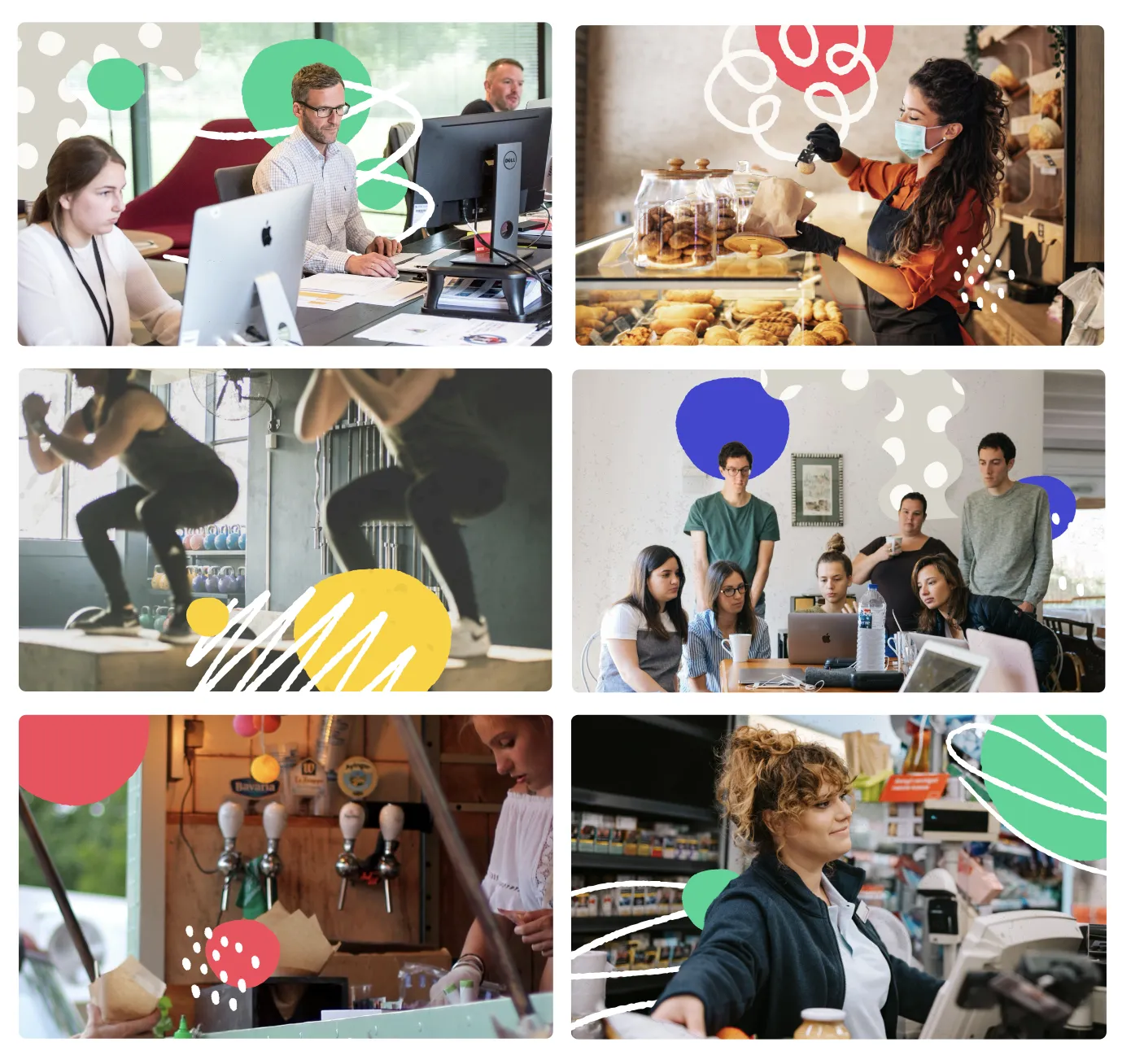
Launch's photography is a collage system — real workplace photos with brand-color blobs, dots, and hand-drawn marks layered on top. Subjects are real Seattle small-business operators, not stock. Daylight, real desks, real shops. The shapes do the brand work; the photo does the truth-telling.

13.1 A man in a yellow shirt laughing on a teal background Real expression · brand-color ground
13.2 A collage of small-business operators with brand-shape overlays Six-up collage · shapes kiss the edges
13.3 A collage with hand-drawn marks layered over the photos Hand-drawn marks · scribbles, dots, lines
13.4 A B&W photo of two people at a laptop on a yellow ground B&W on yellow · brand mark behind

Shape vocabulary — the blobs 13.5

Solid brand-color circles, plus dotted, hatched, and outline variants. Mix freely; pull at least one color from the photo's own palette.

Hand-drawn marks — 32 stamps to choose from 13.6

A vocabulary of small ink marks — squiggles, hatches, dots, stars, brackets — for layering on photos and posters. Always --ink-1000 stroke. One or two per surface. Tell me which numbers to drop and I'll trim to the final set.

01
02
03
04
05
06
07
08
09
10
11
12
14
16
17
18
19
21
22
24
25
26
27
28
30
31

Composition rules 13.7

  • 3–5 shapes per photo. More than that competes with the subject.
  • Shapes kiss the photo edges — corners and margins, not center.
  • Never cover faces or focal points. The person or product is always primary.
  • Mix one large + two or three small shapes for hierarchy.
  • Pull at least one shape from a color present in the photo.
  • Photos can be full-color or desaturated B&W with selective color accents — same mood.
14 · Email signature
14 · Email signature 14

Email signature

The full Launch email signature: photo, role, contact line, a one-click scheduling link, the wordmark, and the certifications + giving-back line that rides along on every email we send.

15 · Companion brands
15 · Companion brands 15

Built under one roof, one name

Anything Launch builds carries "Launch" in the name — it's how operators know it's part of the family. Each companion gets its own design system that inherits the LIDS foundations (type, spacing, voice) while taking on its own color and personality.

15.1
LaunchMyCannabiz logo
Sister brand · Live

LaunchMyCannabiz

The cannabis-operator arm. Same back-office playbook, industry-specific compliance and language. Teal cannabis-leaf mark; "My" in shared Permanent Marker — the connective hand across the family.

View design system
15.2
Launch Learning logo
Sister brand · Live

Launch Learning

The education arm — courses, workshops, and curriculum. Book mark in collaboration blue with a yellow + teal "L" inside, and the load-bearing red dot carries over to the i in Learning.

View design system
15.3
Launch _______ your next companion brand
Naming rule

Carries "Launch" in the name

Every companion brand begins with or contains Launch. The shared name is how the family stays legible to operators and to the certifications we hold.

Reserved
16 · Sample Projects
16 · Sample Projects 16

Sample Projects

A working shelf of Launch Industries examples: live products, internal systems, and the next wave of branded materials being built from LIDS.

Launch Community Portal

A client-facing portal for community engagement, resources, classes, and program access.

View project

Launch Team Hub

An internal operating surface for team onboarding, staff resources, and employee workflows.

View project

Training presentations

Instructional decks for topics like employee classification, HR setup, compliance, and business systems.

View live examples

TA needs assessment SOP

A standard operating procedure for intake, documentation, triage, and technical-assistance delivery.

View live example

Sample client proposal

A modular proposal format for scopes, outcomes, milestones, pricing, and next steps.

View live example

Apparel designs

A quick reference for branded apparel direction, logo placement, and color use on merchandise.

View PDF
Coming soon 16.2

Launch reference docs and field-ready brand materials

These are the next LIDS applications: practical templates for client work, public-sector programs, internal onboarding, events, and recurring communications. Each one follows the same tokens, type, spacing, voice, and component rules shown in this system.

One system, many operator-facing formats

The goal is not a gallery of disconnected mockups. It is a usable Launch library: decks, proposals, reports, one-pagers, event kits, templates, and onboarding materials that feel like one company whether they are printed, emailed, presented, or published online.

Brand introduction deck

A short presentation explaining the Launch story, marks, colors, type, voice, and everyday usage rules.

Coming soon

Business cards

Team cards with clear hierarchy, certification cues, contact details, and restrained brand-color use.

Coming soon

Proposal templates

Reusable proposal pages for scopes, timelines, deliverables, pricing, assumptions, and approvals.

Coming soon

Impact one-pagers

Concise public-sector and partner handouts for outcomes, program reach, operator stories, and next steps.

Coming soon

A new website

A refreshed web surface for Launch Industries that translates LIDS from brand kit into production pages.

Coming soon

Report templates

Program reports, quarterly summaries, charts, case studies, and recommendations with consistent data styling.

Coming soon

Tabling kits

Event-ready signs, table cards, leave-behinds, QR prompts, and talking points for community outreach.

Coming soon

Print collateral

Flyers, service menus, program sheets, mailers, and handouts built for quick scanning and clean printing.

Coming soon

LinkedIn & social templates

Post frames, carousels, announcement graphics, hiring posts, and program promotion formats.

Coming soon

Document standards guides

Rules for headers, tables, filenames, footers, citations, approvals, and client-facing document polish.

Coming soon

Newsletter

A recurring email format for classes, resources, client wins, program news, and practical operator tips.

Coming soon

Annual impact reports

A flagship report structure for reach, outcomes, partner programs, client stories, and certification value.

Coming soon

Email templates

Branded patterns for intros, follow-ups, class reminders, partner updates, and client success workflows.

Coming soon

Employee and contractor onboarding materials

Welcome guides, role checklists, workflow maps, expectations, tool access, and first-week milestones.

Coming soon

Apparel, swag, and merch

Shirts, stickers, notebooks, event goods, and client gifts using the mark without overloading the palette.

Coming soon
17 · CTA
Want this for your brand?

Better together

This is a sample brand system Launch Industries built for itself. We can build one like it for you — tokens, type, components, and a working kit your team can lift into production.

18 · Change execution
18 · Change execution 18

Two ways a change travels

LIDS is the single source of truth, but it reaches other surfaces by two different mechanisms, and they behave nothing alike. Some load this stylesheet live and change the moment this site deploys, with no command and no deploy of their own. Others hold their own copy and only change when someone runs the sync. Knowing which is which is the difference between a safe edit and restyling a signed contract.

1 · Live, at runtime

No command. No deploy. Immediate.

Fourteen repositories load colors_and_type.css straight from this domain at runtime. They restyle themselves the instant this site deploys. Six of them are live client deliverables and nine are executed contract documents.

That is why this file is additive only: add a property, never redefine, remove or rename one. Removing is the worst case, because the document falls back to browser defaults. Any new asset gets a new filename, and the paths those documents reference are frozen.

2 · Synced copies

Only when someone runs it.

Twenty-two projects registered in consumers.txt keep their own copy of the tokens and fonts. They change only when brand-sync is run against them, so they can sit on older tokens indefinitely.

Dry-run first, always. The sync copies whatever the registry holds, which is not necessarily newer than what a project already has — a sync can move a project backwards. Read the diff before applying, and treat --force as a decision to rebrand all 22 deliberately rather than a routine step.

brand-sync
# 1 · Preview the drift across every LIDS consumer
$ brand-sync --brand=LIDS

# 2 · Apply canonical tokens to all projects it can touch
$ brand-sync --brand=LIDS --apply

# 3 · Overwrite review-gated consumers — rebrands all 22. Rarely correct.
$ brand-sync --brand=LIDS --apply --force
  1. Edit the token in colors_and_type.css (color, type, spacing, radius, shadow, or motion).
  2. Dry-run to see exactly which projects would change, and how.
  3. Apply pushes the registry's tokens to every consumer in consumers.txt — which is not the same as pushing the newest tokens. Read the dry-run diff first.
  4. Projects with custom drift are review-gated and skipped. --force lifts that gate for all of them at once, so it is a decision to rebrand 22 projects, not a flag for getting past a warning.

Register a new project with brand-init --brand=LIDS --path=<dir>. The same CLI drives other brands too (--brand=LMC).